Every semester,
the same headache.
Until now.
Collect family availability, generate a complete semester schedule, calculate tuition, and send statements — all in one place. No spreadsheets, no sticky notes, no endless reshuffling.
Whether you teach piano, violin, voice, guitar, or music theory.
No credit card required
Mid-semester? Import your current lesson schedule — no need to wait for a term break
Two weeks. Every semester. Just to schedule 50 students.
ScheduleMyClasses was built after watching a piano teacher spend two full weeks every semester manually collecting availability from 50 students and their families and working through the scheduling puzzle one student at a time. We're two PhDs — in mathematics and engineering — who've spent decades building optimization systems for Fortune 500 companies. When we saw the problem, we knew: this is exactly what algorithms are built to solve in seconds.
We built the tool we wish she had.
Built for music teachers who…
- Collect every family's availability before building the schedule
- Fit 20–60 students into limited after-school and weekend windows
- Rebuild the schedule every semester as families' availability shifts — sports seasons, school activities, life changes
- Want to stay in control of the final schedule, not hand it to families to self-book
Not self-scheduling. Instead of asking families to race for open spots, ScheduleMyClasses collects everyone's availability first — then helps you build a schedule that works across your whole studio. Families share availability; you decide the final schedule. You review the result and adjust with drag-and-drop before anything goes out.
Sound familiar?
These are the scheduling headaches many private music teachers face each semester — and how ScheduleMyClasses helps reduce the manual work.
"Can you do Tuesdays? Actually Thursdays. Wait — my son has soccer now."
Chasing 30 families for availability
Send one email. Every family gets a secure link to fill out their own availability form — no account needed. You see who's responded, who hasn't, and when they last opened the link. No more chasing anyone across texts, emails, or parent group chats.
"40 students, 3 after-school windows — and every family wants Tuesday and Thursday after 4pm."
Not just fitting everyone — optimizing your studio
Enter your available teaching hours, break preferences, and each student's availability — the algorithm fits everyone simultaneously and builds a stronger schedule: filling your preferred teaching hours, reducing wasted gaps between lessons, and helping you protect your teaching income without expanding your hours. First-draft ready in under a minute. Then drag and drop to fine-tune.
"Thanksgiving week off. Two students joined mid-November. November has 4 Tuesdays but one's a holiday. What does everyone owe?"
Recalculating tuition every month
Monthly tuition is calculated from your recurring lesson schedule — teacher-declared days off, holiday weeks, and partial months when students join mid-semester are all handled automatically. Finalize, email every family, and track who's paid. No spreadsheets.
"Can you put both my kids together? I can't make two trips across town."
Siblings, and the pick-up problem
Families with two children in lessons don't want two trips. Book both siblings as a single group class covering their combined time — two 30-minute students become one 60-minute block — and the scheduler places it as one slot whenever both are free. One drop-off, one pick-up. The same setup handles semi-private lessons: siblings can share a class and still keep their own private lessons on other days.
"I'm not typing 40 students into another app just to find out whether it works."
Switching tools shouldn't cost you a weekend
It doesn't. Export one typical teaching week from your calendar and import it — students, lesson times, and classes come across together. Everything lands in an editable preview first, so you can fix a misread name, add your rates, and drop any non-lesson events before a single thing is saved. Start mid-semester, not just at a term break.
See It In Action
Real screenshots from inside the platform — here's exactly what you'll work with.
From family availability to a full semester schedule — ready to review and adjust
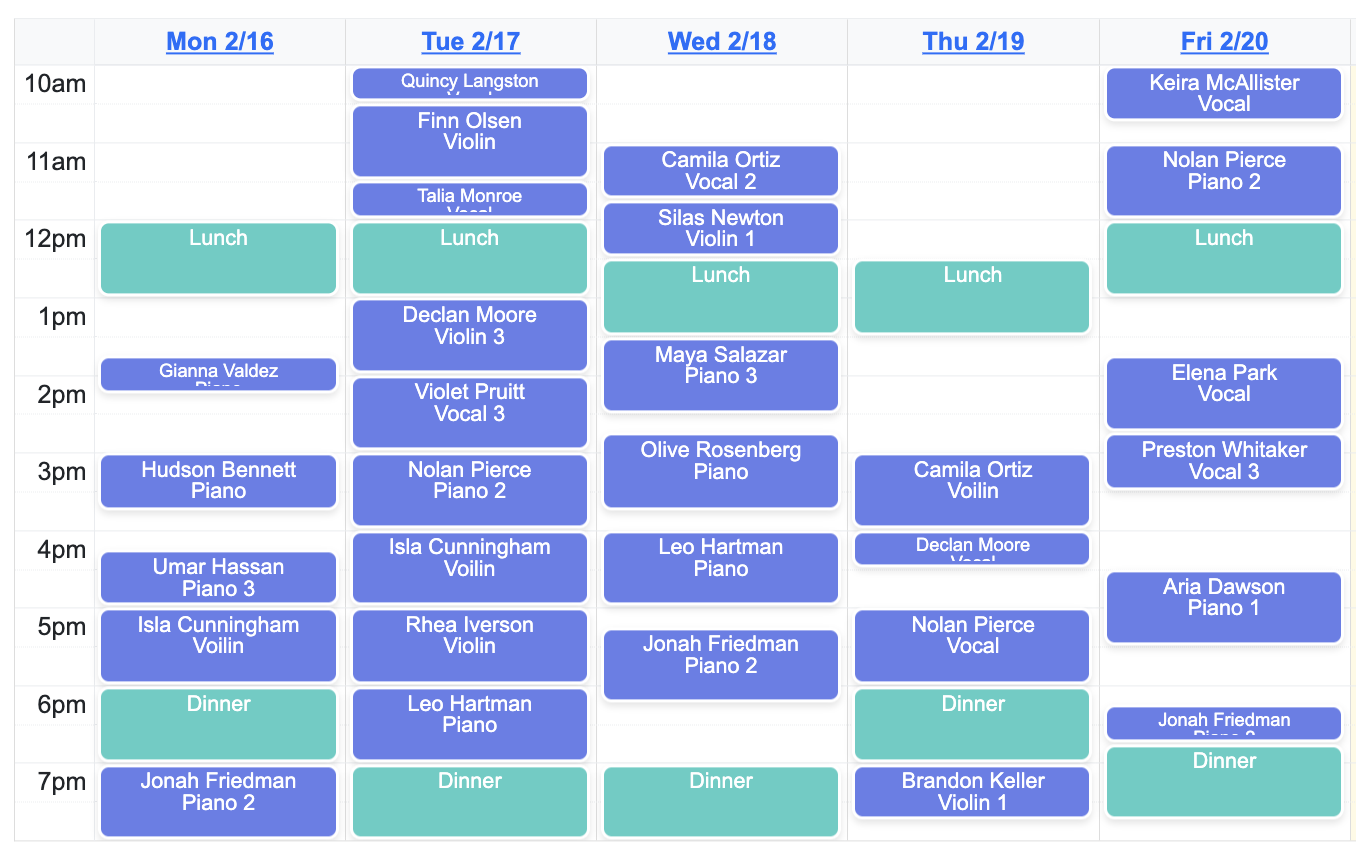
Collect every family's availability, click Generate — the algorithm produces a best-fit draft based on each family's availability and your teaching hours. It fills your preferred hours, reduces gaps between lessons, and respects your break and scheduling preferences — helping you protect your teaching income without expanding your hours. Then open the interactive calendar and drag lessons wherever you need them. You review, adjust, and approve.
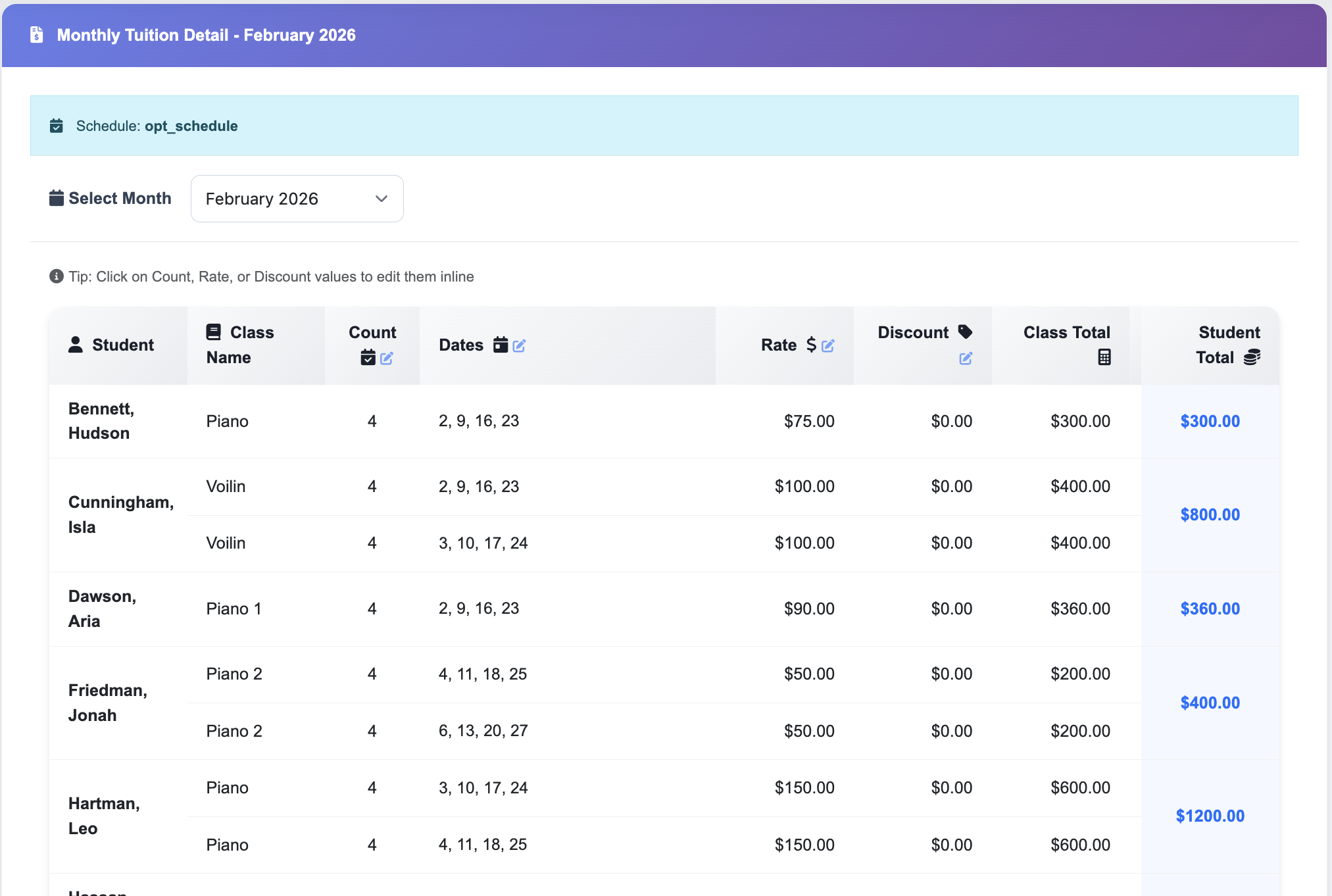
Monthly tuition — calculated from your recurring lesson schedule
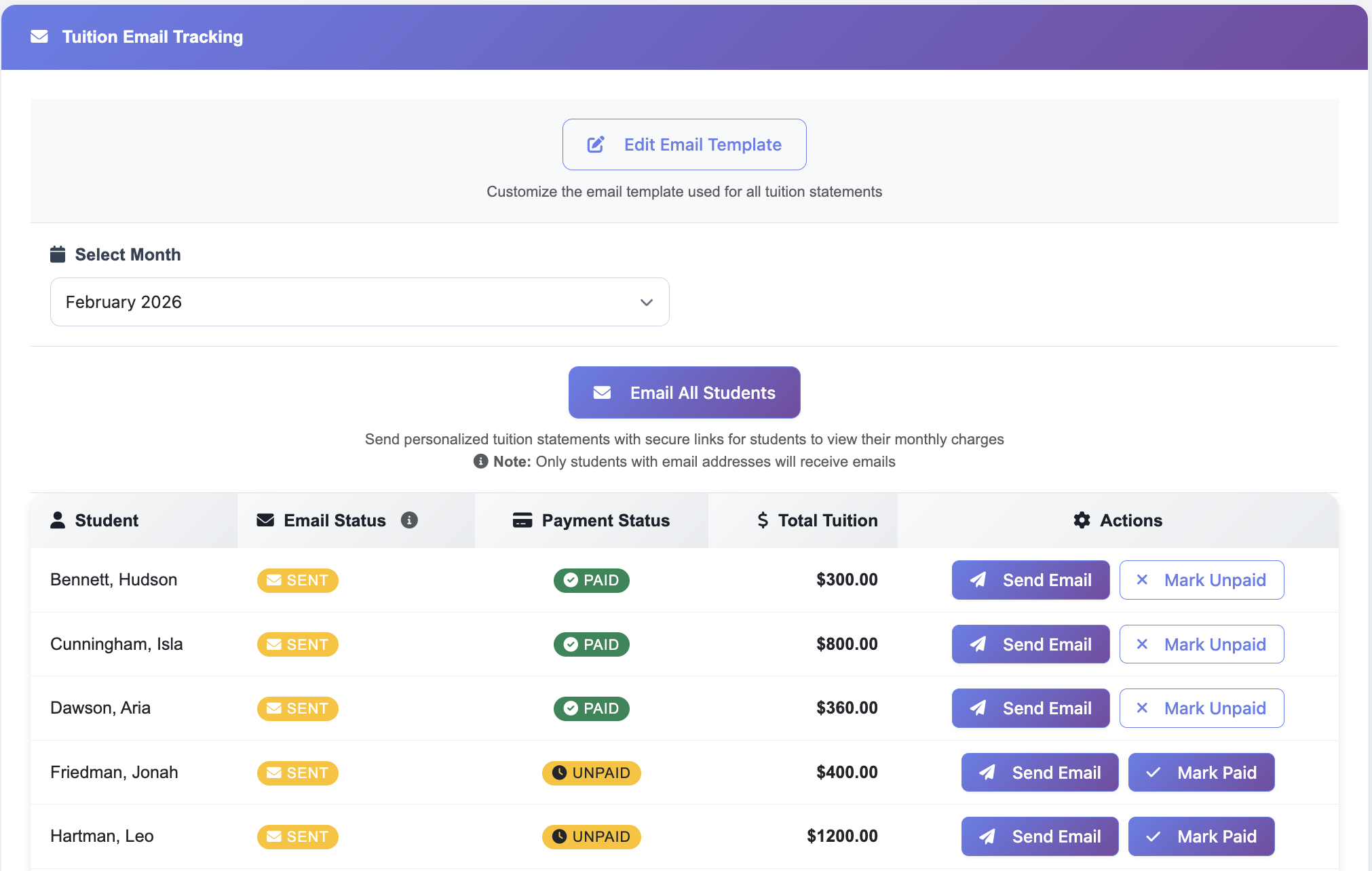
Teacher-declared days off and school holiday weeks are factored in automatically, along with partial months when students join mid-semester. Finalize and email statements to every family in seconds, then track who's paid and who hasn't.
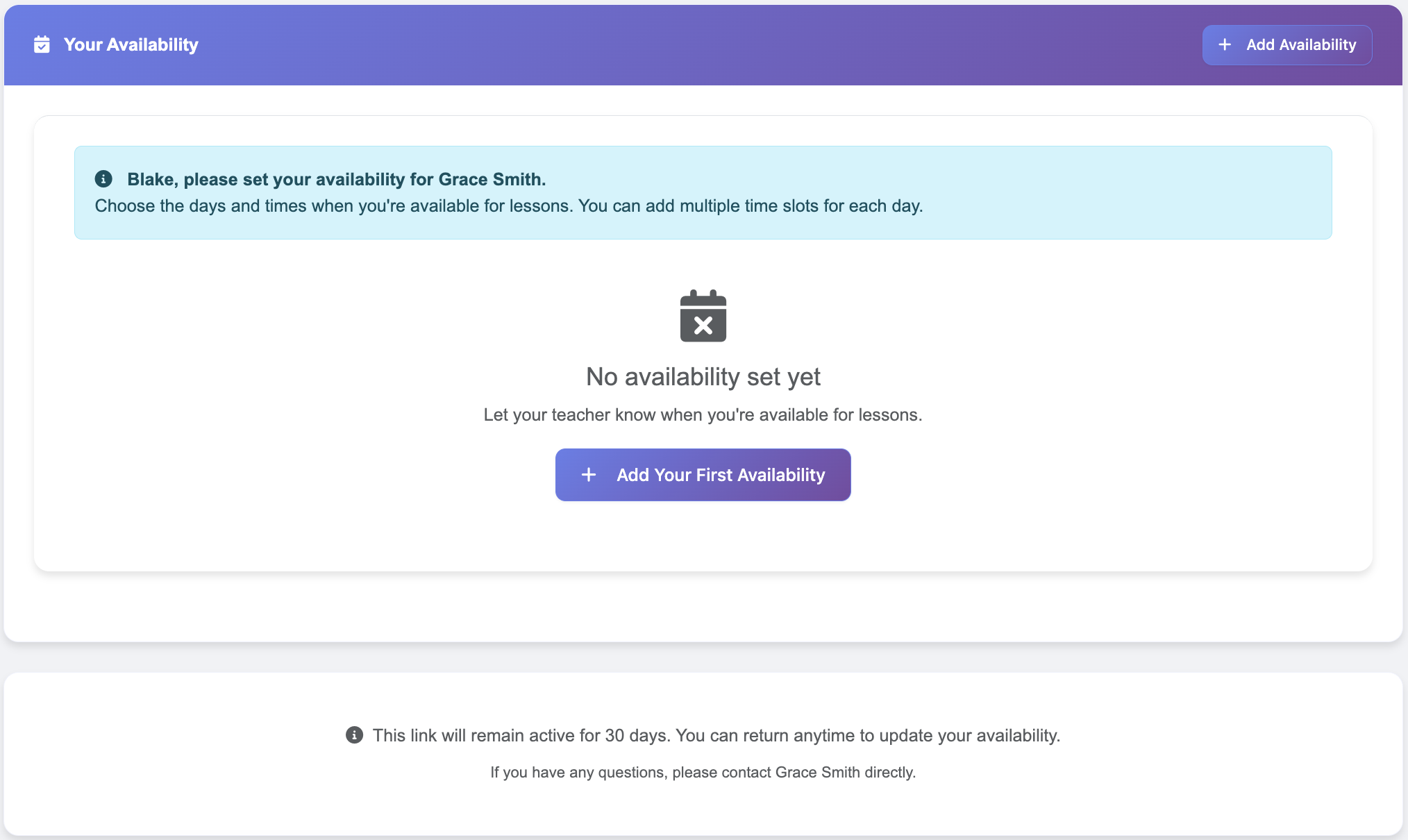
Collect family availability without chasing anyone
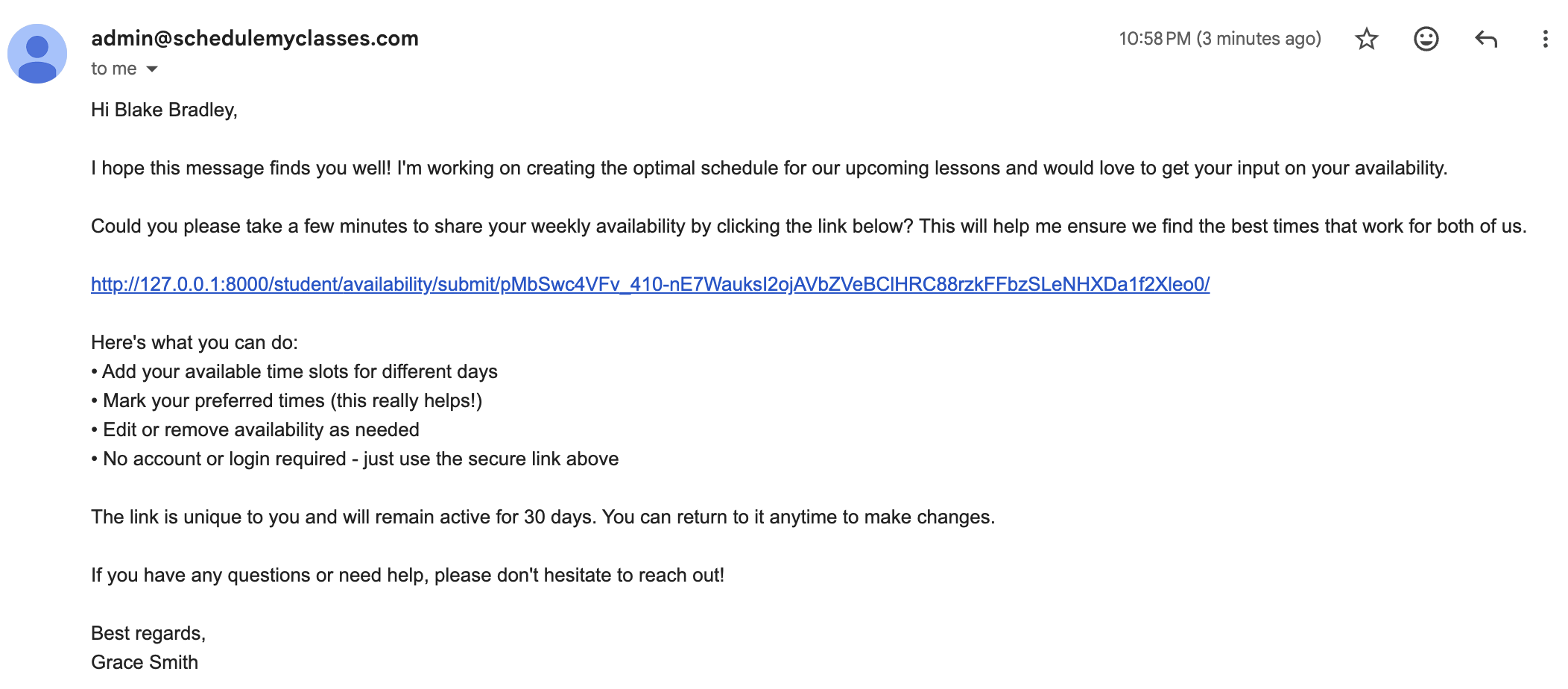
Send availability requests with one click — families fill out a simple form through a secure link. No account needed. You see who's responded and who you're still waiting on. If a family's availability changes after the schedule is built, update their form and drag-and-drop the affected lesson — or generate a fresh draft and review before publishing any changes.
See it in a quick demo
The complete workflow — availability, scheduling, tuition, and statements.
Quick answers
What if a family's availability changes after I build the schedule?
Update their availability form, then drag-and-drop the affected lesson for a quick fix — or generate a full new draft and review it before publishing any changes. Either way, nothing goes out to families without your approval.
Does the algorithm guarantee every student gets a slot?
It finds the best possible arrangement given everyone's availability windows and your teaching hours — but if a student's availability is very limited or slots are genuinely full, it flags that clearly so you can follow up directly.
Can families book themselves into open slots?
No. Families submit their availability; you build the schedule. There's no race for open spots and no self-booking. You stay in control of who teaches whom and when.
What if most students keep their current lesson times?
You can start from a saved schedule and drag-and-drop only the students whose availability changed. You don't need to rebuild from scratch — adjust just the pieces that shifted.
I'm in the middle of a semester. Should I wait until next term?
No need to wait. If you already teach a weekly schedule, import it from your calendar and you're set up in minutes — students, lesson times, and classes come across together. From there you can use tuition, statements, and payment tracking right away, and run the optimizer when your next scheduling round comes around.
My calendar has non-lesson events mixed in. Is that a problem?
No. Everything you upload lands in a preview table first — delete any row that isn't a lesson, correct anything the import misread, and fill in your rates. Nothing is added to your studio until you confirm.
Help shape a scheduling tool
built for independent music teachers.
Free during early access · No credit card required
Early access is free — you get full access while we build together.
Already teaching? Import your current schedule and start any time of year.